Getting started with BattleSpades
BattleSpades is the community-built client for Ace of Spades: Battle Builder. This guide takes you from download to your first match in about ten minutes.
What you need
- A Windows 10 or 11 PC (64-bit). Windows x64 is the only tested release. Linux and macOS can be built from source but are not supported releases yet.
- Your own copy of Ace of Spades: Battle Builder. BattleSpades never ships or downloads the original game's art and sound. On first launch it copies them from your Steam install (or any folder holding a Windows copy of the game).
- The BattleSpades client ZIP. No separate runtime or Visual C++ redistributable is needed; everything is in the ZIP.
Download and install
- 01Download the Windows ZIP
Grab the latest
BattleSpadesClient-<version>-Windows-AMD64.zip(see the beta page for the current link). There is no installer: the ZIP is portable. - 02Extract the whole ZIP to a normal folder
Use a folder you can write to, such as
Documents\BattleSpadesorD:\Games\BattleSpades. Don't run it from inside the ZIP and don't put it inProgram Files: the game savessettings.tomland its logs next to the program. - 03Run the game
Open the
binfolder and startBattleSpadesClient.exe. (aos.exein the same folder is the same program under the name Steam expects.) The build isn't code-signed yet, so Windows SmartScreen may ask you to confirm: choose More info → Run anyway. - 04Import your Ace of Spades files (first launch only)
The asset installer looks in the usual Steam folders automatically. If it can't find the game it asks you to select a Windows Ace of Spades: Battle Builder installation folder or Windows Steam library. It checks every file and copies it beside the client, so you only do this once.
The ZIP also contains a matching BattleSpades server in bin\server. You don't need to touch it: Create Match starts it for you when you host.
Sign in
The first screen asks who you are. Pick whichever suits you; you can switch later with Logout on the main menu.
| Option | How it works | Good for |
|---|---|---|
| SIGN IN / REGISTER (AoSPlay account) | Type a username and password. REGISTER creates the account on the spot: usernames are 3–24 characters, start with a letter and use letters, numbers or underscores; passwords are 12–128 characters. No email address is needed. | Everyone who wants to keep their progress, friends and collection. |
| SIGN IN THROUGH STEAM | Uses the Steam client running on your PC. Your Steam name becomes your in-game name. The button shows CONNECTING TO STEAM... first and only appears when Steam is running. | Steam owners of Ace of Spades who want Steam invites and Join Game. |
| PLAY AS GUEST | Gives you a guest name like Guest-1A2B3C4D. If AoSPlay is reachable it is a saved guest on this PC; if not, an offline, unranked identity. | Trying the game quickly, or playing with no internet. |
- Guests stay off public leaderboards and can't equip cosmetics. If you plan to keep playing, register an AoSPlay account.
- Offline guests can't use Friends, lobbies or Inventory, but can still play the Tutorial, Local Match and join servers directly.
- The game remembers your sign-in for 30 days on this PC.
Find your way around the main menu
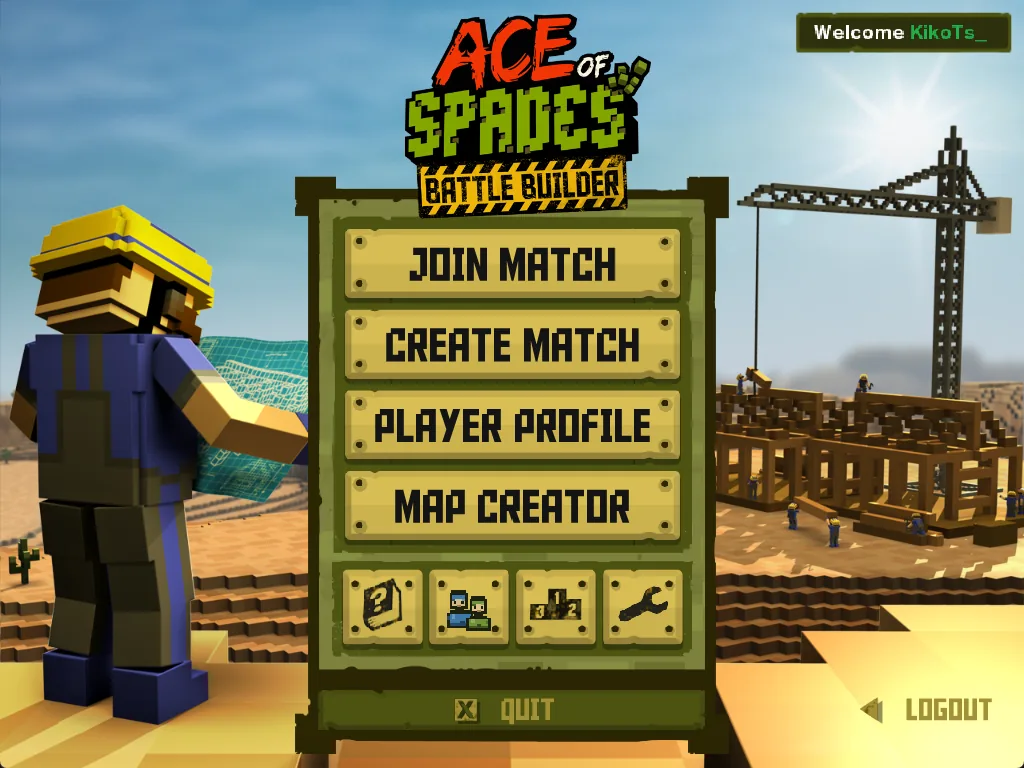
| Button | What it does |
|---|---|
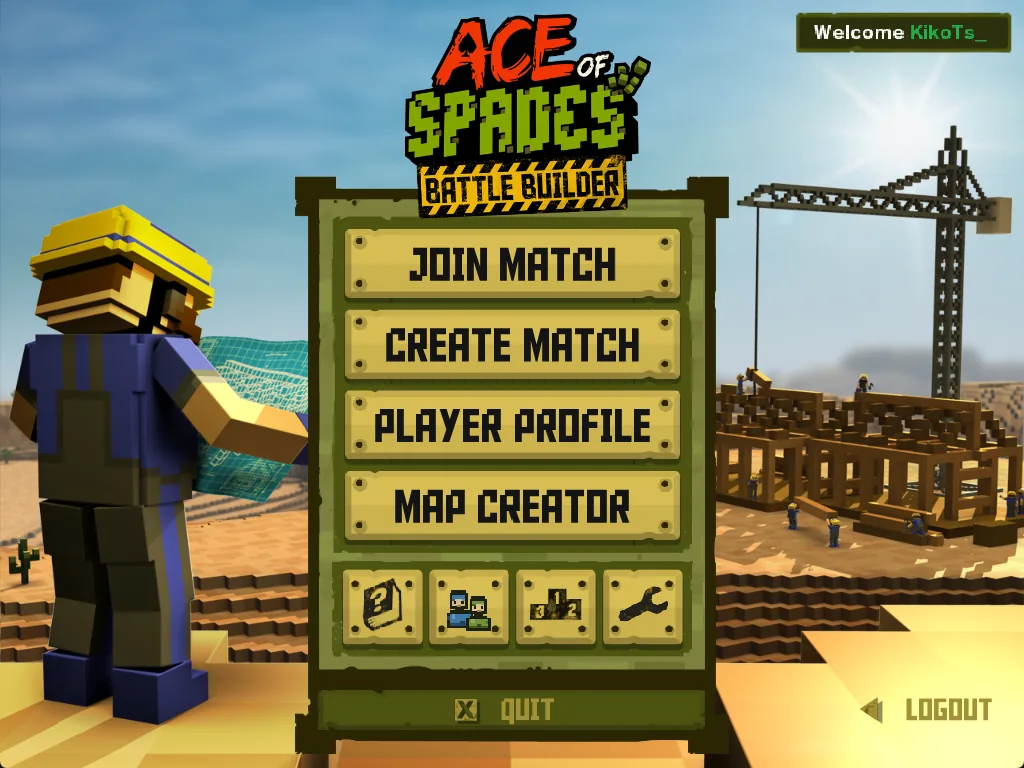
| Join Match | Server Browser, Direct Connect and Quick Play. See Joining a match. |
| Create Match | Opens a Match Lobby so you can host a game for friends. See hosting from the menu. |
| Player Profile | Your stats, ranks and the INVENTORY tab with crates and skins. See Inventory & crates. |
| Map Creator | Build your own maps and prefabs. |
| Tutorial | A short offline training map. Recommended for your first launch. |
| Friends | Friends, requests, invites and lobbies. See Friends & invites. |
| Leaderboard | Account rankings. |
| Settings | Audio, graphics and key bindings. See Controls & settings. |
| Logout / Quit | Sign out and return to the sign-in screen, or close the game. |
Your first match in five steps
- 01Play the Tutorial (optional)
It teaches movement, digging and building on an offline map, with nothing at stake.
- 02Join a server
Join Match → Quick Play picks a server for you. Or open the Server Browser and double-click a server with players in it.
- 03Wait for the map
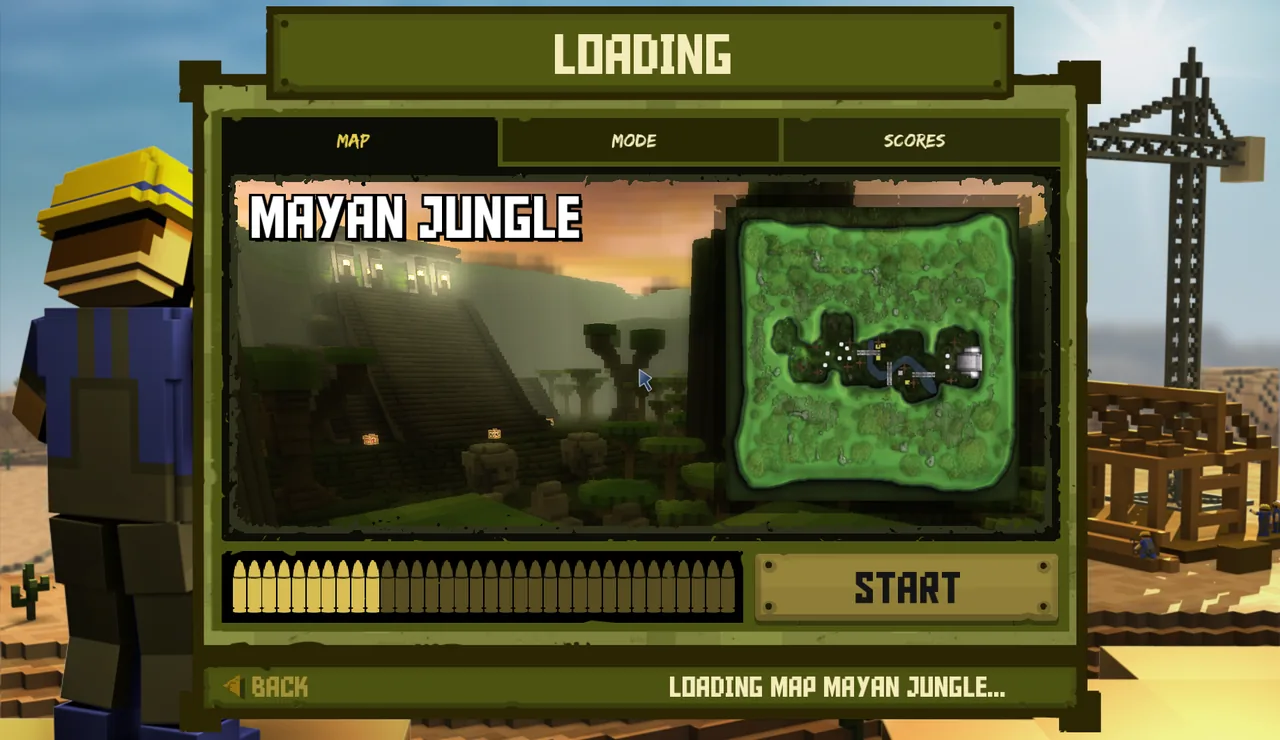
The loading screen shows the map, the mode rules and the score values. When the bar is full, press START.
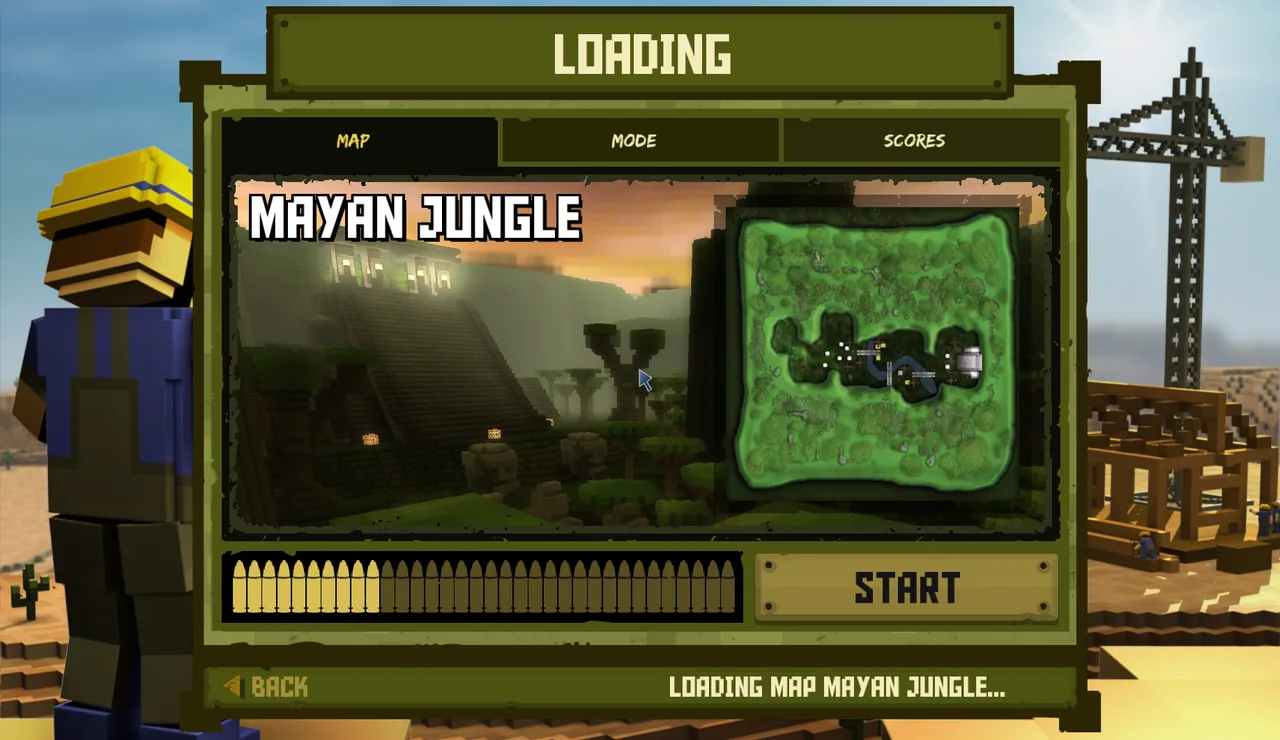
The loading screen. The MODE and SCORES tabs explain the rules while the map downloads. - 04Pick a team and a class
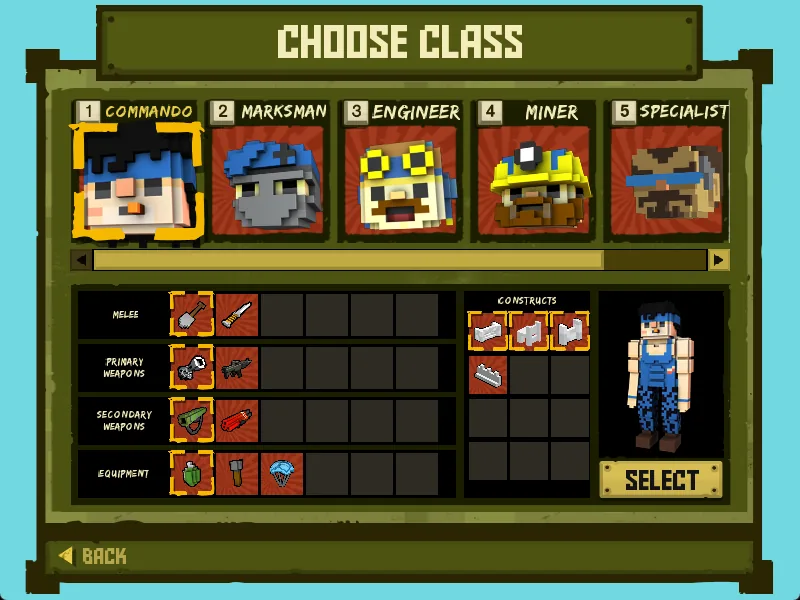
Choose JOIN BLUE or JOIN GREEN, then a class and its loadout, and press SELECT.
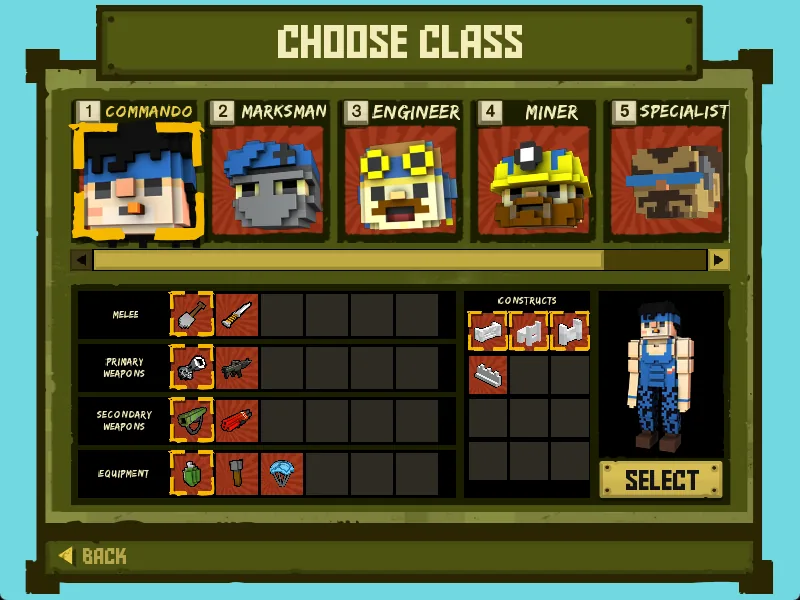
Choose Class: pick a class card, then its melee, primary, secondary and equipment, and press SELECT. - 05Play
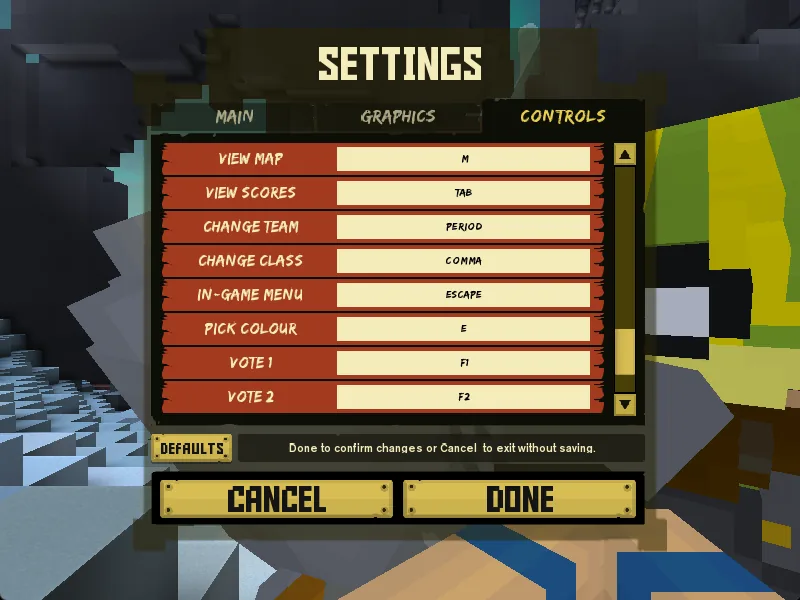
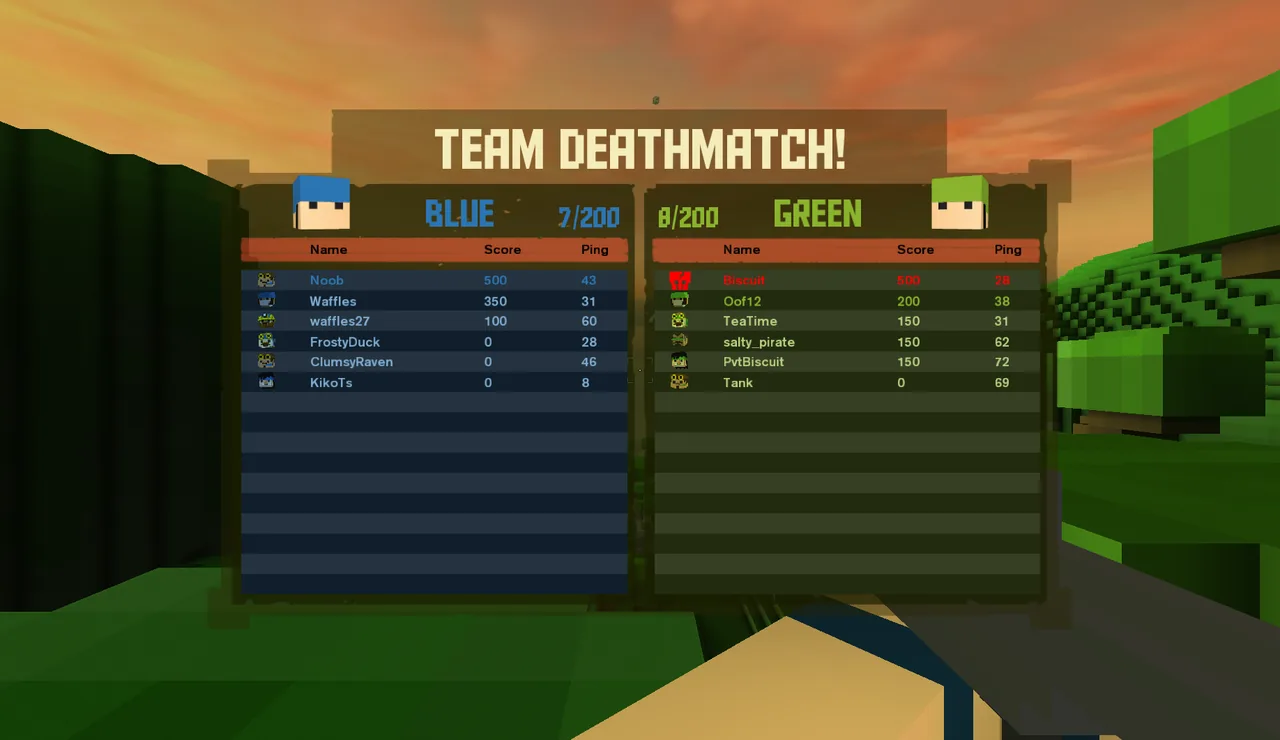
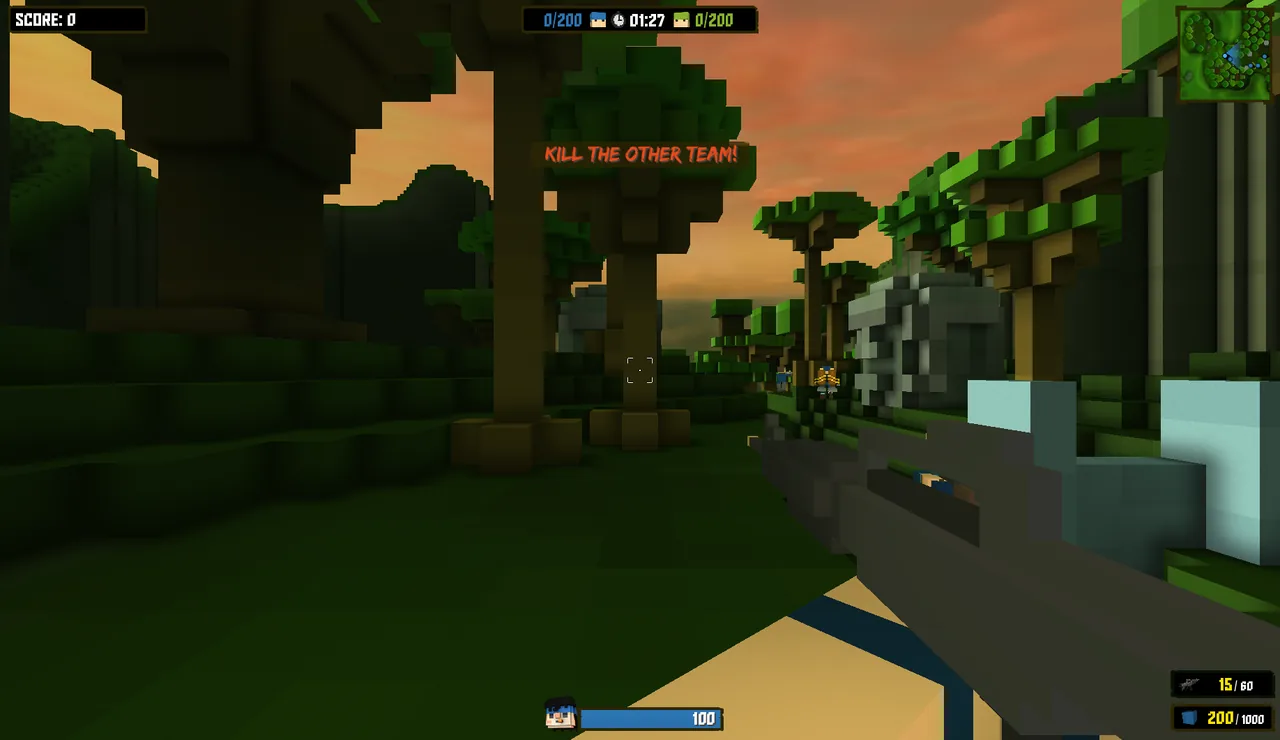
W A S D to move, mouse to aim and shoot, Tab for scores, Esc for the menu. The full key list is in Controls & settings.
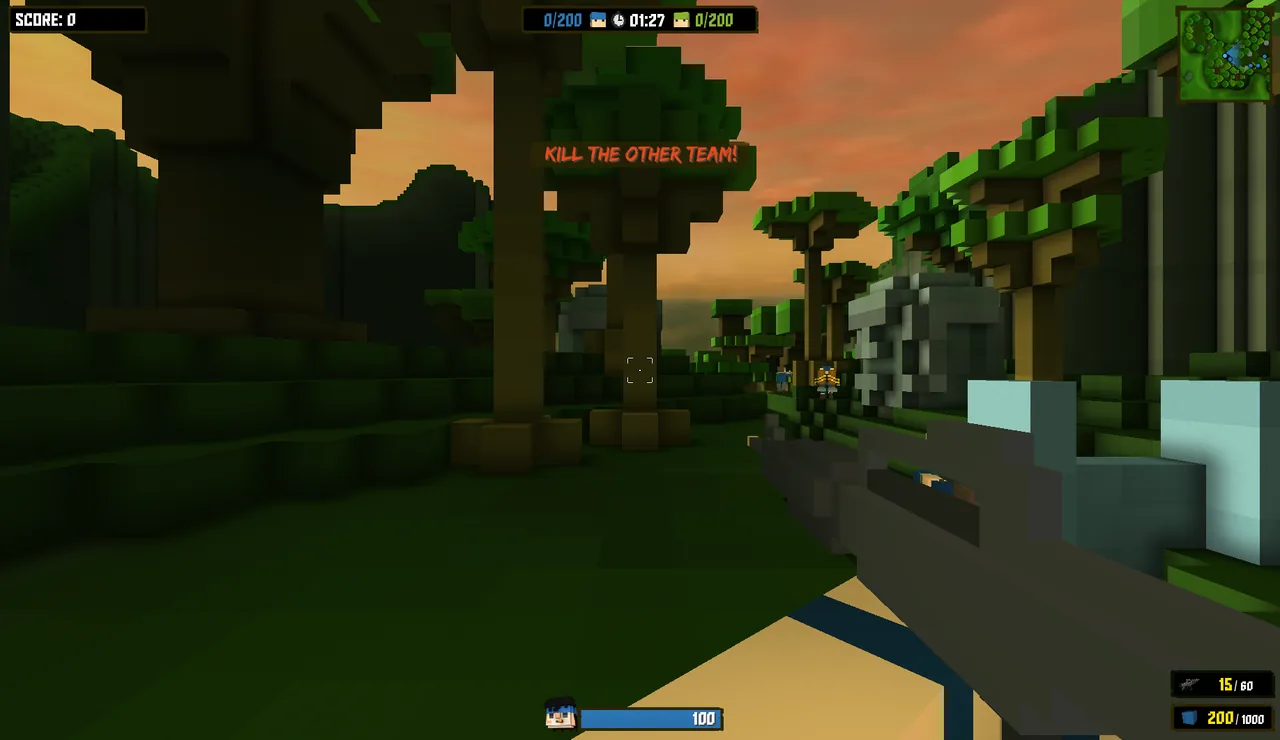
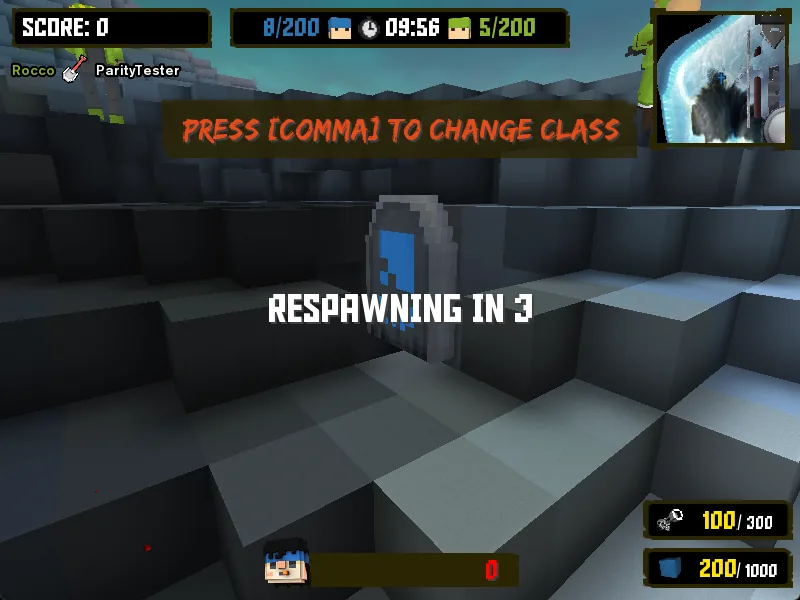
In a match: score and team tallies at the top, minimap top right, health and ammo bottom right.
Common questions
Do I need to own Ace of Spades?+
Yes. BattleSpades is a new client, but it uses the original game's art, sound and maps, which it copies from your own installation on first launch. Nothing copyrighted is shipped or downloaded.
Is it free?+
The client and the servers are free community projects. There is nothing to buy: crates open for free and cosmetics never change gameplay.
Does it work on Mac or Linux?+
Only the Windows x64 build is released and tested. It can be built from source on Linux and macOS, but those are not supported releases yet.
Can I play with people using the original game?+
Yes. BattleSpades servers accept both the original 1.x client and the new client, so you can end up in the same match.