Friends, invites and lobbies
The Friends menu is where you find players, see who's online and pull your friends into the same match. You need an online AoSPlay account (a registered account or an online guest).
Open the Friends menu
Press Friends on the main menu (the Invite button in a Match Lobby opens the same screen). It has three tabs: FRIENDS, REQUESTS (n) and INVITES (n). The numbers tell you how many are waiting.
- Tab / Shift + Tab switches tabs, the arrow keys move through the list, Enter runs the main button and Esc goes back.
- The corner shows CONNECTED, or RECONNECTING... if the connection to AoSPlay dropped. You can keep using the buttons while it reconnects.
- The list refreshes every second or two while the menu is open, so a change can take a couple of seconds to show up.
Add, accept and remove friends
- 01Search for the player
Type part of their name in SEARCH PLAYER... and press SEARCH. Small typos are forgiven. You'll see up to 24 results.
- 02Send a request
Select them and press ADD FRIEND. The row now says REQUEST SENT; the second button becomes CANCEL REQUEST if you change your mind.
- 03Accept or decline
Requests to you appear under REQUESTS. Select one and press ACCEPT REQUEST or DECLINE REQUEST.
- 04Remove a friend
Select them on the FRIENDS tab and press REMOVE FRIEND.
Online status
| Label | Meaning |
|---|---|
| ONLINE | In the menus. |
| IN LOBBY | In a Match Lobby. You may be able to join them. |
| IN GAME | Playing a match. JOIN GAME takes you to their server. |
| OFFLINE | Not signed in. You can still send an invite (see below). |
| INCOMING / REQUEST SENT | A friend request waiting on you, or on them. |
Status updates within a few seconds. If a friend's game closes unexpectedly, they're shown as online for about 30 seconds before switching to offline.
Invite friends
- Select a friend and press INVITE TO LOBBY. If you're not in a lobby yet the button reads CREATE + INVITE: it creates a lobby for you and sends the invite in one go.
- Anyone in the lobby can invite, not just the owner. You can only invite accepted friends.
- Offline friends: the button reads INVITE (OFFLINE). AoSPlay keeps the invite for 10 minutes, so if they sign in within that time it's waiting under their INVITES tab.
- The button shows LOBBY FULL or ALREADY IN LOBBY when an invite isn't possible.
Accept an invite (LEAVE + JOIN)
- 01Open INVITES
Invites wait on the INVITES (n) tab and in the LOBBY INVITES panel.
- 02Accept or decline
Press ACCEPT INVITE to join, or DECLINE.
- 03Already in another lobby?
The button changes to LEAVE + JOIN. One press leaves your current lobby and joins your friend's, in that order. No need to leave by hand first.
Friends' lobbies and games can also be joined straight from the FRIENDS tab with JOIN LOBBY or JOIN GAME. A lobby set to FRIENDS privacy lets the owner's friends join without an invite.
Playing together in a lobby
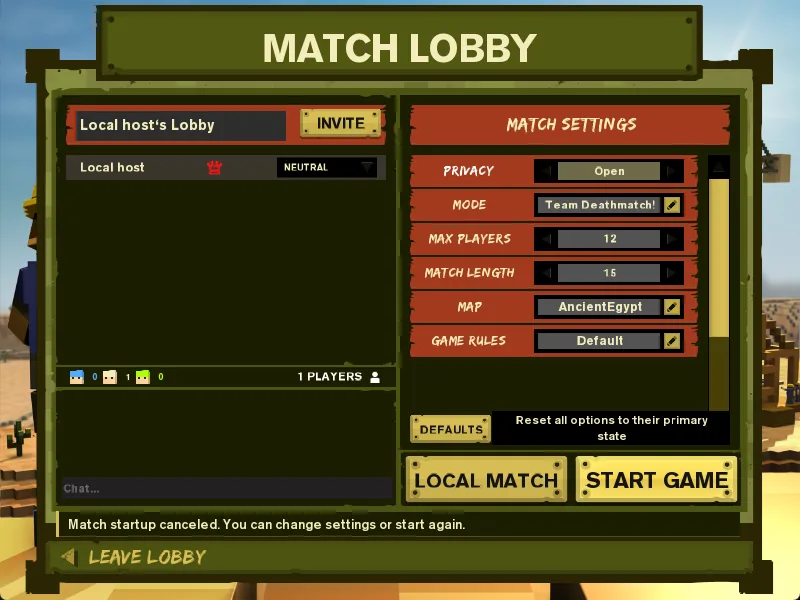
- Lobbies hold 2–24 players (24 by default). You can be in one lobby at a time.
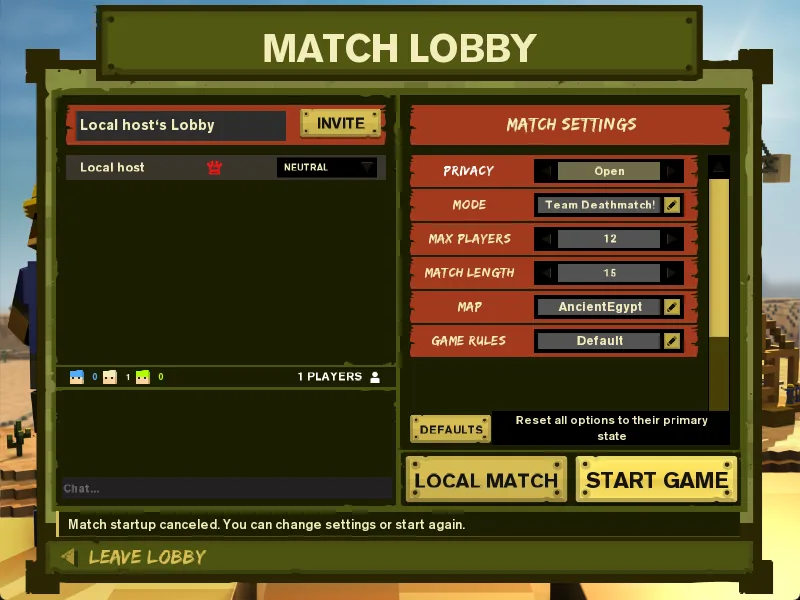
- The owner can assign teams (automatic, Blue or Green) before the match starts, change settings, kick players, and press START GAME.
- Everyone else waits in the lobby; when the match starts, all members are taken into the game together.
- LEAVE LOBBY takes you out. If the owner leaves, the member who joined earliest becomes owner. An empty lobby closes.
Steam friends
Signed in through Steam? Your Steam friends can also join you with Join Game and Steam invites. See Steam features.
Common questions
Is there a friend code?+
No separate code. Search by username or nickname. An exact player ID also works if someone gives you theirs.
Do I get a pop-up when someone invites me?+
Not during a match. Invites and requests appear as counts on the REQUESTS and INVITES tabs next time you open Friends.
Can I block someone?+
Blocked players are hidden from search, but there is no block button in the game's menu yet.