
Host your own Ace of Spades server
BattleSpades is the open-source dedicated server for Ace of Spades: Battle Builder. These guides take a newcomer from download to a listed, moderated public server, and document 321 config keys, 102 Match Lobby rules and 30 commands generated straight from the server source.
I want to…
Quick start
Download the archive for your system from the BattleSpades releases, extract it, set [admin] password in config.toml, then:
.\BattleSpades.exe --check
.\BattleSpades.exe

# players connect to <your-ip>:27015 (UDP)Set up
From download to a public, listed server — on your own PC, a VPS, or in containers.
 Server guide 01
Getting started
Step-by-step guide to hosting an Ace of Spades: Battle Builder server with BattleSpades on Windows, Linux or macOS: requirements, portable download, source build, first launch and first connection.
Read guide Server guide 02
Ports & public listing
Which UDP ports a BattleSpades server uses, how to open them in Windows, Linux and cloud firewalls, port forwarding and NAT, and how to list your server on AoSPlay and in the retail Steam browser.
Read guide Server guide 03
Docker & containers
Run the BattleSpades Ace of Spades server from the ghcr.io/kikots/battlespades container image: docker run, environment variables, data volume, custom config, Compose fleets and safe rollouts.
Read guide Server guide 04
Multiple servers & updates
Run every Ace of Spades mode from one BattleSpades install with fleet.toml, keep servers running as a Windows or Linux service, and upgrade without losing bans, logs or pending round results.
Read guideConfigure
Every setting, generated from the server source, plus modes, maps and bots.
 Server guide 05
Configuration reference
Complete reference for the BattleSpades config.toml: every table and key with its default, the value in the sample config, accepted range or choices, and what it does. Generated from the server source.
Read guide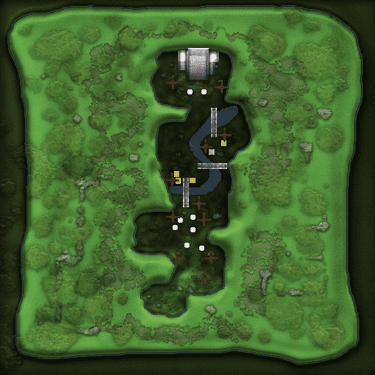 Server guide 06
Match Lobby rules
Every Ace of Spades Match Lobby rule BattleSpades supports in [game_rules]: classes, equipment, weapons, respawn, block health, damage, spawn protection and per-mode targets, with accepted values and defaults.
Read guideServer guide 07Game modes & maps
Set up Ace of Spades game modes on BattleSpades: the ten retail Match Lobby modes and their map pools, match length, map rotation, end-of-round map votes, per-mode overrides and custom VXL maps.
Read guide Server guide 08
Bots
Configure BattleSpades server bots for Ace of Spades: backfill empty servers, keep a fixed count, reserve slots for humans, pick difficulty, balance skill, and manage bots live with /bots.
Read guideOperate
Moderation, the full command list, logs and fixes.
 Server guide 09
Admin & moderation
Moderate a BattleSpades Ace of Spades server: admin login, kicks and timed bans, unbanning, mutes, kick votes, anti-cheat switches and suspicion reports, team-grief and AFK kicks, team balance and name protection.
Read guide Server guide 10
Commands reference
Every BattleSpades chat command with syntax, aliases, permission level, description and examples: /help, /team, /pm, /admin, /kick, /ban, /map, /mode, /bots, /acreport and more. Generated from the server source.
Read guideServer guide 11Logs & troubleshooting
Fix common BattleSpades server problems: where the logs are, what the important log lines mean, port and config errors, listing problems, lag and memory, plus performance tips for Ace of Spades servers.
Read guide